

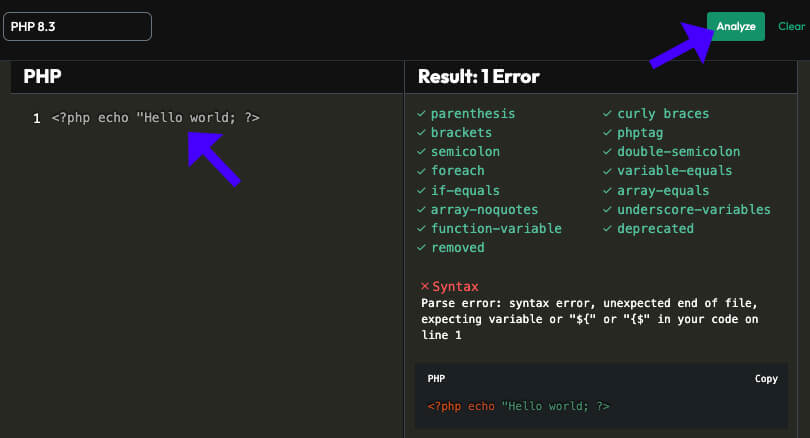

Because a syntax error is caused by faulty code, we need to access and fix the code.
If you paste the code into the Theme File Editor screen, you will be locked out of your website and unable to use the backend to access the code and fix it. You can purchase our One-Time Fix to get you out of this mess. 🙂
However, you can still access the code using your hosting provider’s file editor interface or FTP software like FileZilla.
Once the WordPress root folder is accessed, navigate to the wp-content folder and into the Plugins or Themes folder (depending on where the faulty code is).
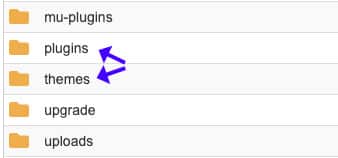
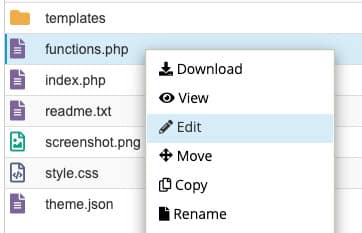
For example, let’s assume the faulty code is inside the functions.php file of your child theme.
In that case, enter the child-theme folder, right-click on the functions.php file, and select Edit.
Inside the code editor, find the syntax error (the error will direct you to exactly which file and line is causing the error), and comment it out, fix it, or delete it completely.
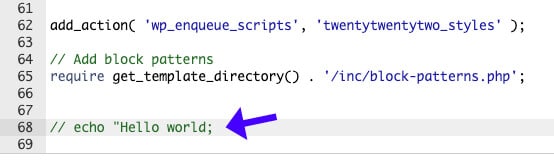
After performing one of the above actions, please save the file and revisit your website to ensure it works correctly.
Parse Syntex Error – Frequently Asked Questions
This means there is an issue with PHP syntax in one of your theme, plugin, or WordPress core files. The server cannot process the script because a character is missing or incorrect.
Common causes include missing parentheses, brackets, semicolons, or incorrect quotes (single vs. double).
Check the error message. It usually points to the exact file and line number; you should then delete or fix the code.
If debugging is enabled (WP_DEBUG_LOG), check the /wp-content/debug.log file. If you’re using the cPanel, check error_log in public_html.
Yes. A plugin that contains a syntax mistake that is corrupted or incompatible with your PHP version can trigger a parse error.
Yes. A syntax error may appear if your theme or plugin is outdated and incompatible with the new WordPress or PHP version.
Use FTP or cPanel File Manager. Then, navigate to /wp-content/themes/your-theme/ or /wp-content/plugins/ and edit or rename the file, causing the error.