

Everything you need to know about the

You Are Attempting To Log Out Prompt Error Message

What is causing it, and how can it be prevented and fixed?

Log out error message

What's Causing The You Are Attempting To Log Out Prompt Error Message?

WP-nonce logout confirmation is included in the standard logout link that WordPress, by default, offers for added security.

In certain situations, though, website owners might want to alter the procedure to provide a more seamless user experience.

As a security measure to avoid accidental logouts, WordPress prompts you to confirm your desire to log out. This ensures you did not accidentally initiate the logout action by clicking on a link.

If you want to add a Log Out link to your WordPress website’s navigation, you may begin by directly linking to /wp-login.php?action=logout

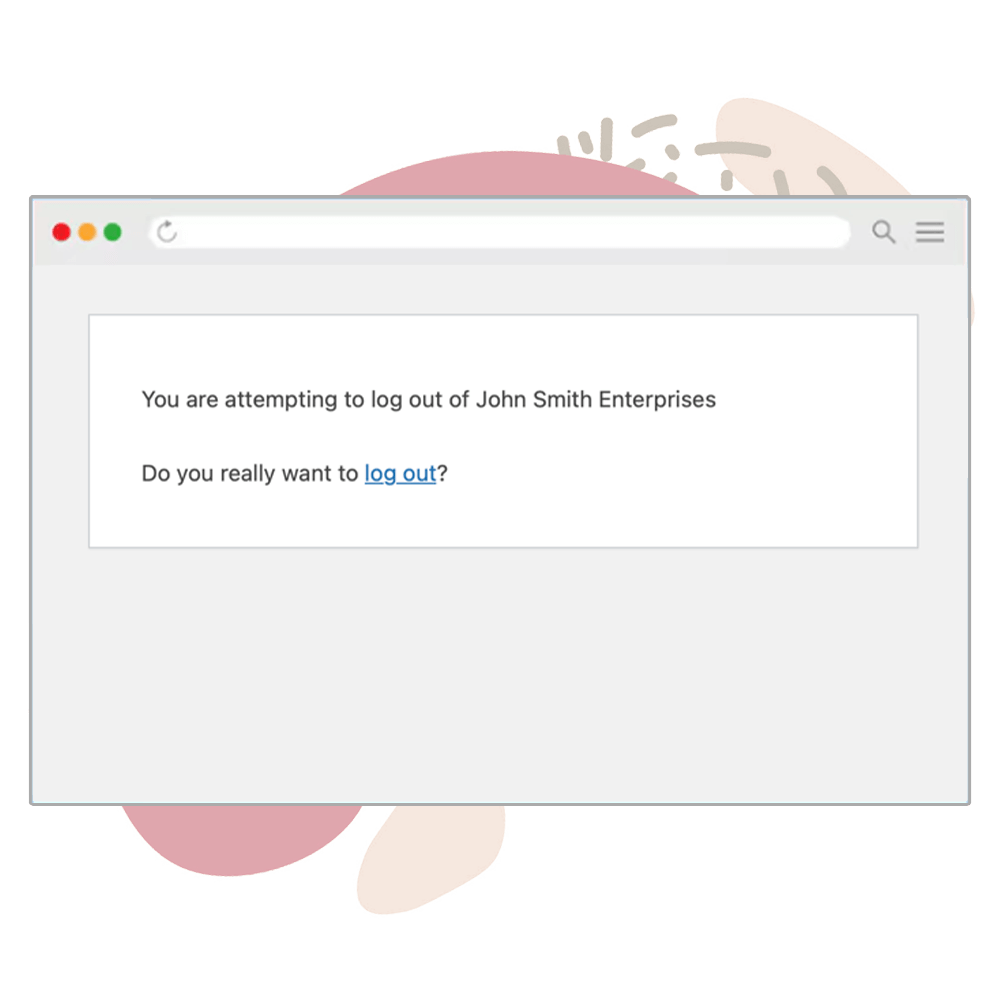
However, if you click on this link, you will be presented with the following message:

You are attempting to log out of [site]. Is it true that you want to log out?

This is because the Log Out links in WordPress have to have a nonce field.

WordPress nonces are single-use security tokens generated on page load to protect specific URLs and forms from misuse.

In WordPress, a nonce field is a security measure to prevent CSRF (Cross-Site Request Forgery) attacks.

A nonce (short for “number used once”) is a unique token that ensures a request comes from a legitimate source.

Logging Out Workflow

You will create a nonce whenever you make an Ajax request or create a form. The function below will print a hidden input field with the generated nonce value:

    wp_nonce_field('action_name', 'nonce_name');

A genuine Log Out link generated by the wp_logout_url() helper function would look like the example below:

    /wp-login.php?action=logout&_wpnonce=1a2b3c4d5e

When clicking on log out, the URL should include a nonce.

WordPress will try to verify it and, if not validated, display the ‘Are you sure you want to log out’ message.

Once the nonce value is validated, you will be logged out, and the session will be destroyed.

The nonce error usually happens when you add a log-out link to your menus or hardcode it to a template file in a way that doesn’t include the nonce in the URL.

Nonce is missing

Your logout link is missing a nonce field.

Nonce is invalid

The provided nonce is invalid.

Did you know...

WordPress displays the ‘You Are Attempting To Log Out’ because the logout link is missing a nonce.

How to fix the You Are Attempting To Log Out Prompt Error Message?

We already know that the ‘Are you sure you want to log out?’ error message is displayed since the link is missing nonce.

In that case, adding a nonce to the log-out link should solve the issue and log us out without the prompt.

Therefore, we should add a nonce field to every logout link on our website (specifically to those we created ourselves).

Copy and paste the code below into the functions.php file of your child theme file or a dedicated plugin.

add_action('check_admin_referer', 'logout_without_confirm', 10, 2);
function logout_without_confirm($action, $result)
{
    /**
     * Allow logout without confirmation
     */
    if ($action == "log-out" && !isset($_GET['_wpnonce'])) {
        $redirect_to = isset($_REQUEST['redirect_to']) ? $_REQUEST['redirect_to'] : 'https://domain.com';
        $location = str_replace('&', '&', wp_logout_url($redirect_to));
        header("Location: $location");
        die;
    }
}

The simple code snippet above will add a nonce field value to every logout link that’s missing it.

The added nonce field will prevent visitors from seeing the ‘Are you sure?’ message when they follow your Log Out link.

You Are Attempting To Log Out – Frequently Asked Questions

Why does WordPress ask for confirmation when logging out?

WordPress adds a security nonce to the logout URL to prevent Cross-Site Request Forgery (CSRF) attacks. If you click a logout link without a valid nonce, WordPress asks for confirmation to ensure the request was intentional.

Can I bypass the logout confirmation page?

You can modify the logout URL to include a valid nonce, which skips the confirmation step.

Why do I sometimes get logged out without seeing the confirmation message?

If the logout link already contains a valid nonce, WordPress will log you out immediately without asking for confirmation.

Can I customize the logout confirmation message?

The message is built into WordPress and cannot be easily changed without modifying core files. However, you can create a custom logout page by redirecting users to a custom page instead of showing the default confirmation message.

Add a logout link

Add a logout link to your menu or anywhere else on the website.

Add a nonce to the logout link

Paste the code snippet above in the functions.php file of your child theme.

Logout without the confirmation message

Log out and ensure the prompt message is not being displayed.

Fixing it yourself sounds too complicated?

Let us fix the You Are Attempting To Log Out Prompt Error Message for you!

Get the You Are Attempting To Log Out Prompt Error Message fixed in two different ways:

Single Purchase

A single purchase of You Are Attempting To Log Out Prompt Error Message fix.

$39

Maintenance Plans

The You Are Attempting To Log Out Prompt Error Message fix is included in our maintenance plans.
Here are a few tips from us before you leave

Practical tips, examples, and best practices to keep your WordPress site safe.

Your website will thank us, you welcome :)