
If you manage WordPress sites and want to save time and avoid stacking dozens of plugins, this is worth reading.
I use Classicmonks with clients and teams that need a fast, consistent setup without hunting for separate SEO, caching, and optimization plugins.
This review breaks down what it does, how it helps, and when it makes sense for your workflow.
What is Classicmonks?
Classicmonks is a unified WordPress plugin that consolidates common site utilities into a single interface.
Instead of installing separate tools for SEO, performance tweaks, media handling, and general configuration, Classicmonks brings many of those options together under one roof.
The result is fewer plugins to manage, fewer compatibility issues, and a faster setup process for new sites.
Why use it: the problem it solves
Every fresh WordPress install comes “naked.” To make a production-ready site, you typically install multiple plugins: an SEO plugin like Yoast, a caching plugin, media optimizers, and several configuration utilities.
Each additional plugin can increase load time, update overhead, and maintenance. Classicmonks reduces that friction by offering a consolidated feature set you can turn on or off as needed.
Quick setup and onboarding
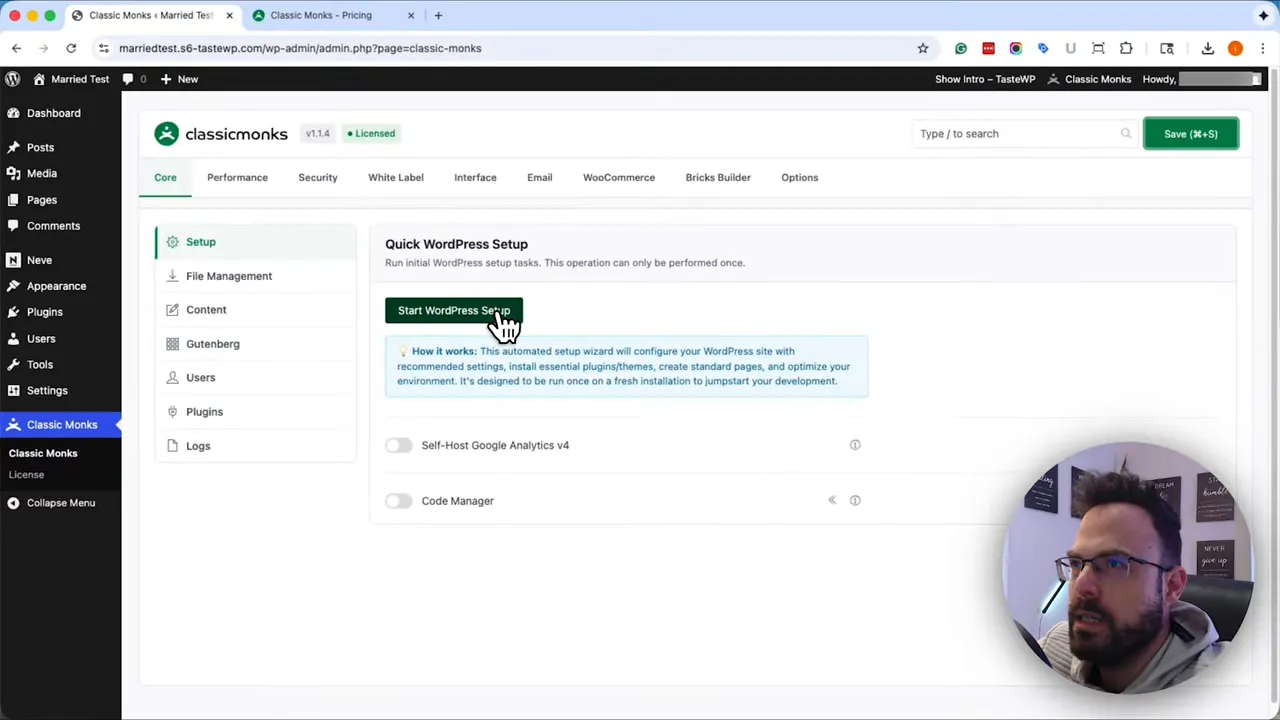
The plugin includes a handy starter flow for brand-new sites that automates everyday tasks: removing the sample post and page, renaming unlisted categories, and applying base settings in one pass. If you’re installing on an existing site, you can skip the setup and use only the modules you need.
Key features
Classicmonks covers several core areas. Here are the main modules I use and recommend:
- SEO controls — Basic SEO settings and on-page tweaks that remove the need for a separate SEO plugin in many cases.
- Performance and optimizations — Caching toggles, update controls, and common performance switches consolidated in one panel.
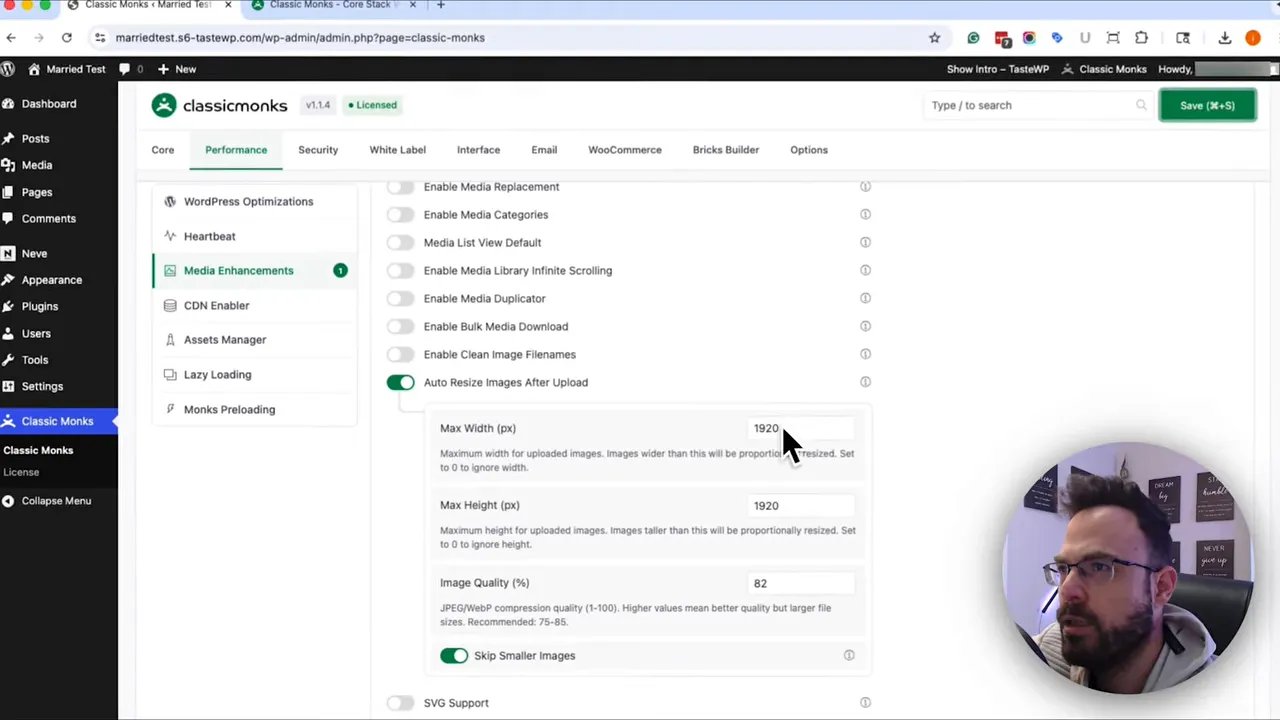
- Media enhancements — Automatic resizing on upload and control over generated image sizes to reduce bloat and speed up pages.
- General WordPress configuration — Quick access to settings like comments, updates, and default content cleanup.
SEO
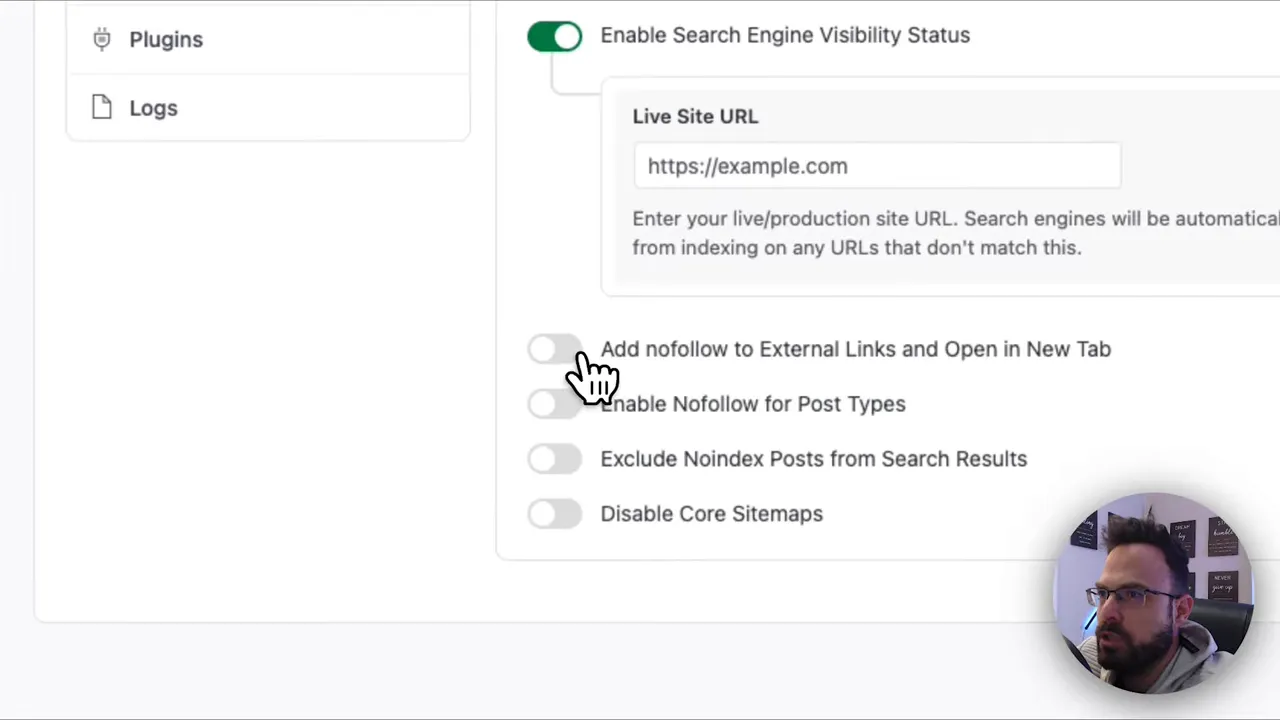
The SEO moduleturns specific SEO features on or off at the content level. It won’t replace every advanced feature of a complete SEO suite, but for many sites, it covers the essentials, which is perfect for straightforward blogs, brochure sites, and small business pages.
Performance
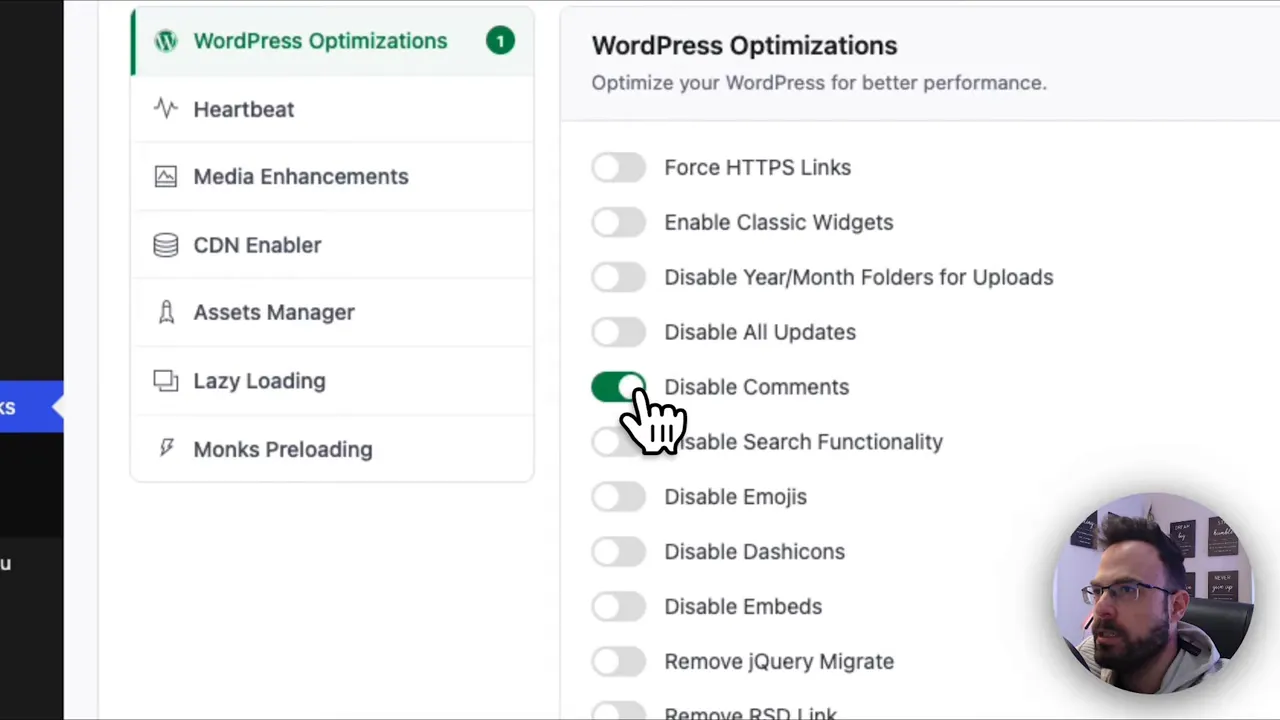
The performance tab centralizesstandardn optimizations. Disable unnecessary WordPress behaviors, toggle automatic updates, and adjust caching-related settings without installing another plugin.
That simplicity is the main reason I recommend Classicmonks to clients who prefer a lean plugin stack.
Media enhancements
One of my favorite features is the media auto-resize. WordPress creates multiple image sizes by default.
With Classicmonks, you can set a max width and height on upload so the site doesn’t generate or serve unnecessarily large images. This small change alone improves page weight and load times.
How I use Classicmonks as a developer
In client projects,s I often use Classicmonks as the baseline configuration tool. It handles repetitive setup tasks and lets me avoid installing several baseline plugins. That saves hours across projects and reduces the number of updates and potential conflicts down the line.
Pricing and value
Classicmonks is positioned as a cost-saving alternative to buying multiple premium plugins.
Pricing promos sometimes offer lifetime access at a low one-time cost, which makes it a compelling choice for freelancers and small agencies looking to reduce ongoing plugin expenses.
Evaluate the feature set against your specific needs — especially if you require advanced SEO reporting or specialized caching behavior.
Pros and cons
- Pros: Consolidates everyday tasks, speeds up setup, reduces plugin bloat, provides licable media controls, and is excellent for simple to medium-complexity sites.
- Cons: Not a complete replacement for advanced niche plugins; some options require familiarization, and features can overlap with existing tools on established sites.
Who should consider Classicmonks?
- Developers and freelancers who build many small WordPress sites and need a fast, repeatable setup.
- Site owners who want fewer plugins and a simpler configuration experience.
- Teams that want to standardize base settings across multiple installations.
Conclusion
This Classicmonks plugin review finds it to be a practical all-in-one toolkit that saves time and simplifies WordPress management.
It won’t replace every specialized plugin, but for many projects it provides the right balance of features and performance optimization. If you prefer a lean plugin ecosystem and faster site onboarding, Classicmonks is worth testing.
If you plan to standardize workflows or speed up new site launches, adding Classicmonks to your toolkit will likely pay back in saved hours and reduced maintenance.
