
Changing a WordPress username seems simple, but by default, WordPress does not allow you to edit usernames from the admin screen.
If you want to change your username in WordPress without a plugin, there are two reliable approaches: a plugin that adds a safe UI, or a one-time PHP function that updates the database directly.
Below, I walk through both methods, explain the pros and cons, and give safety tips so you can complete the change without breaking anything.
Why WordPress locks usernames
WordPress treats the username as a core identifier. Allowing free edits could cause conflicts with URLs, author archives, and internal references.
That said, there are valid reasons to rename an account: fixing typos, improving security by removing prominent admin names, or standardizing usernames across a team.
Both methods below accomplish this safely when you follow the instructions.

Method 1 — Use a plugin (easiest)
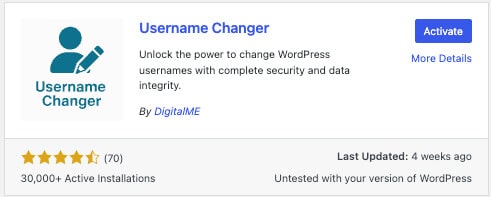
This is the straightforward option for most users. A plugin will add a field to the profile edit screen so you can update the username without touching code.
- Go to Plugins > Add New and search for a “username changer” plugin.
- Install and activate the plugin.

- Open Users > All Users, click the user you want to edit, and look for the new “Change username” option.

- Type the new username and save. Confirm the change on the users list.

Pros: quick, safe, no coding required. Cons: adds a plugin (minimal footprint if you deactivate and remove it afterward).
Method 2 — Change username with PHP (no plugin)
If you want to change a WordPress username without a plugin, you can run a short PHP function to update the username in the database. Use this method only if you are comfortable editing theme files or have access to a file manager. Always back up your site and database first.
- Create a full backup of files and the database.
- Preferably, use a child theme. Open the child theme’s functions.php file via the theme editor or an SFTP client.
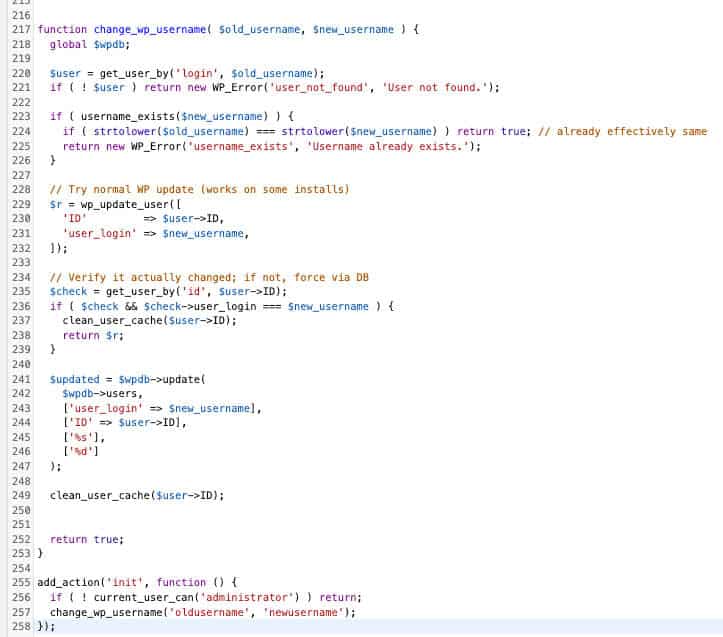
- Paste a small function that searches for the old username and updates it to the new one. Configure the old and new username values inside the function.
- Save the file and reload the Users page. Verify that the username changed successfully.
- Immediately remove or comment out the function after the change. Leaving it active is unnecessary and could be risky.
function change_wp_username( $old_username, $new_username ) {
  global $wpdb;

  $user = get_user_by('login', $old_username);
  if ( ! $user ) return new WP_Error('user_not_found', 'User not found.');

  if ( username_exists($new_username) ) {
    if ( strtolower($old_username) === strtolower($new_username) ) return true; // already effectively same
    return new WP_Error('username_exists', 'Username already exists.');
  }

  // Try normal WP update (works on some installs)
  $r = wp_update_user([
    'ID'         => $user->ID,
    'user_login' => $new_username,
  ]);

  // Verify it actually changed; if not, force via DB
  $check = get_user_by('id', $user->ID);
  if ( $check && $check->user_login === $new_username ) {
    clean_user_cache($user->ID);
    return $r;
  }

  $updated = $wpdb->update(
    $wpdb->users,
    ['user_login' => $new_username],
    ['ID' => $user->ID],
    ['%s'],
    ['%d']
  );

  clean_user_cache($user->ID);


  return true;
}

add_action('init', function () {
  if ( ! current_user_can('administrator') ) return;
  change_wp_username('oldusername', 'newusername');
});
Pros: no extra plugin required and fast. Cons: requires editing PHP and a backup—mistakes can cause site issues.
Safety tips and best practices
- Backup first. Always export your database before running any direct update.
- Use a child theme when editing functions.php so updates to the parent theme do not overwrite your changes.
- Remove one-off code after it runs. Comment it out or delete it to keep the codebase clean.
- Test on staging if possible. A staging copy reduces risk to the live site.
- Update related references if you use custom author slugs or plugins that reference the username elsewhere.
If you ever need to change a WordPress username in WordPress without a security-hardening or cleanup plugin, these steps will do the job safely.
For most users, the plugin route is the simplest, but the PHP method is practical when you need to avoid additional plugins.
Conclusion
Renaming accounts is a common maintenance task. With a quick backup and either of the two methods above, you can rename any user account without pain.
If you want help implementing this on a specific site or prefer a custom script, reach out to a developer who can run the change and verify everything remains intact.
